Virtual Device Experience
An experience for hooking up physical stations to the digital world.
Tulip Interfaces Edge Computing & Machine Vision
Product Designer
Problem
Goal
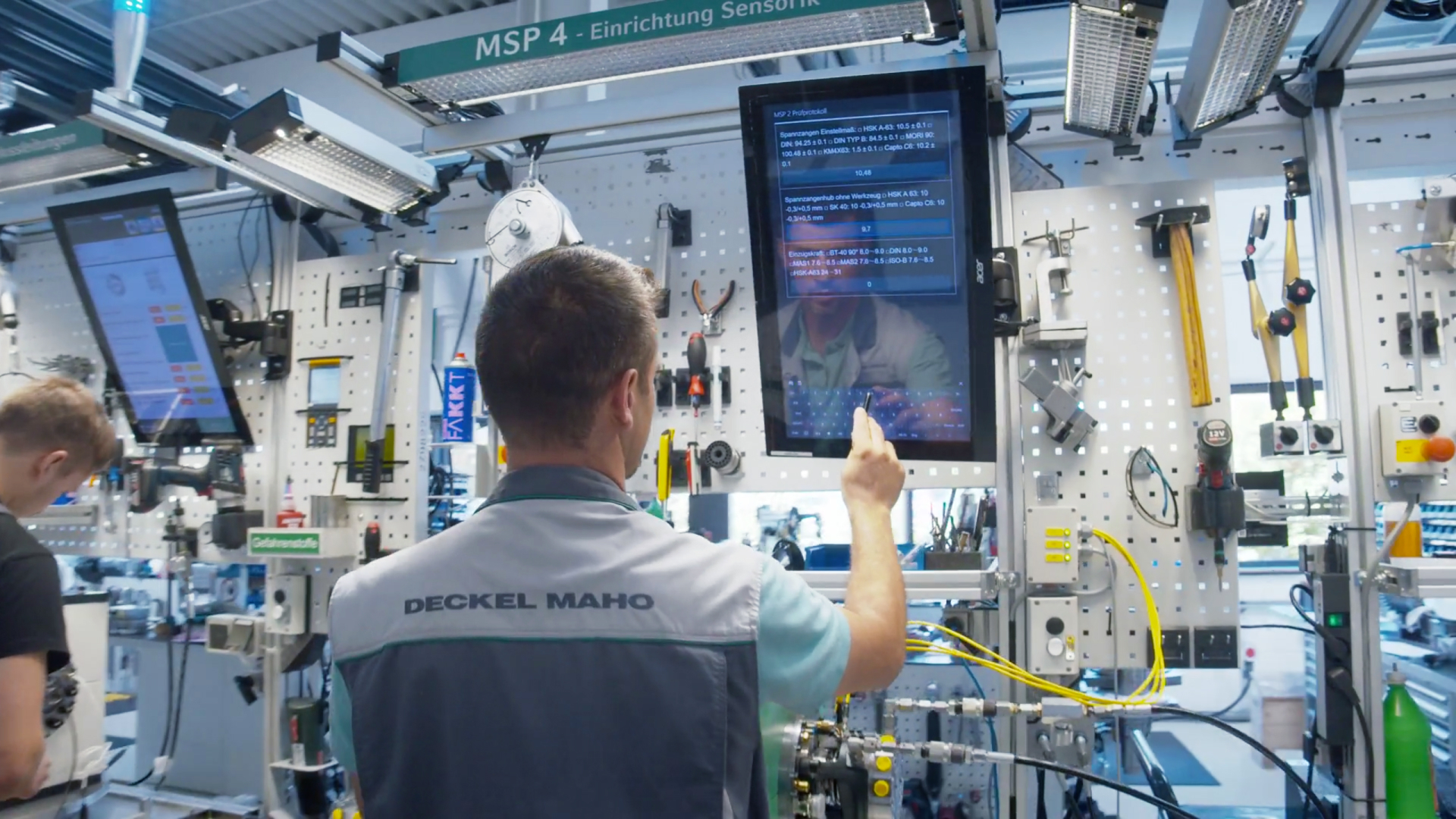
Decision Alignment
Design Principles
Place-Making
The capability to help users reduce disorientation, build a sense of place, increase legibility, and way-finding across digital, physical, and cross-channel environments.
Consistency
Suits the purposes, contexts, and people it is designed for (internal consistency), and to maintain the same logic across different media, environments, and times in which it acts (external consistency).
Resilience
Shapes and adapts itself to specific users, needs, and seeking strategies.
Reduction
Manages large information sets and minimizes stress and frustration associated with choosing from and ever-growing set of information sources, services, and goods.
Correlation
Suggests relevant connections among pieces of information, services, and goods, to help users achieve explicit goals or stimulate latent needs.
Finding the right level of abstraction for design principles can be difficult, but a rule I go by is to describe it at a level that enables teams to make decisions around product experience. This means that design principles need to be updated as the product hits saturation or as a new design challenge is discovered in the process. Decisions, assumptions, and results around design debates need to be tracked and evaluated over time much like product features. Design principles should evolve as markets do.
UX Audit
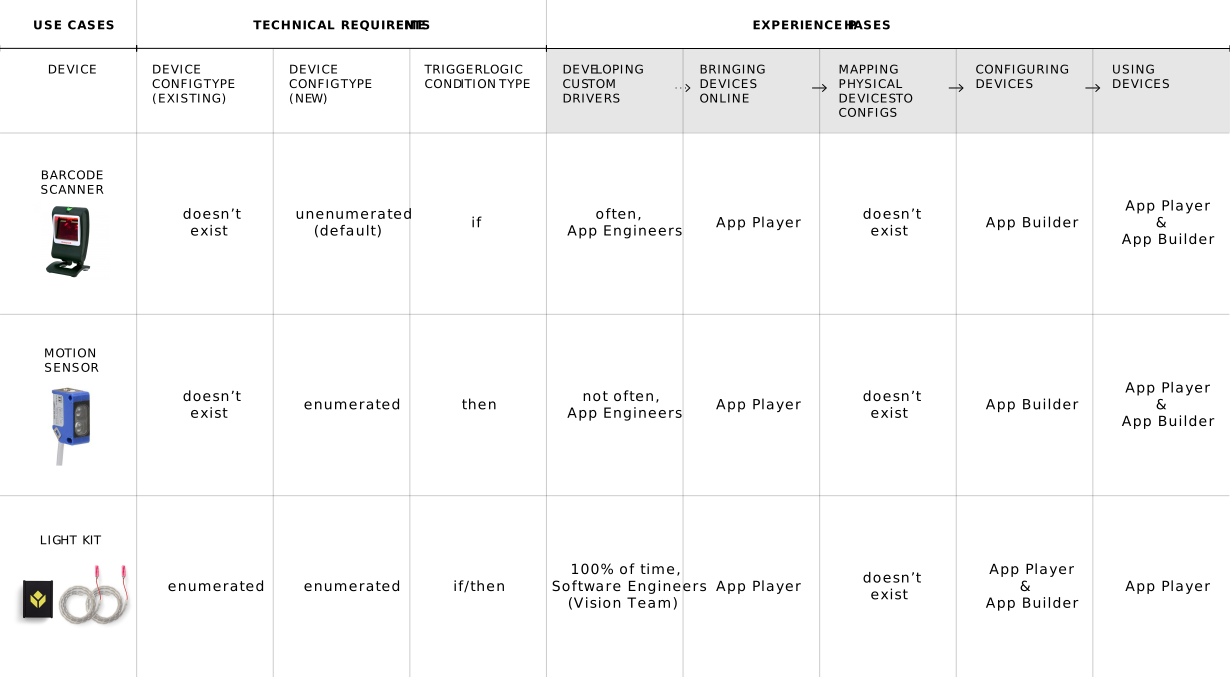
Compared to consumer products, the goal is not always to do something in the "easiest" way by simplifying flows and funneling users towards a single call-to-action. Enterprise design requires balancing immediate improvements in simplicity with reliability and comprehensibility, and considering broader improvements in workforce development and training.
In many ways, this feature resulted out of hearing our clients talk about the persistent skilled labor shortage in the manufacturing space. Our clients often had trouble finding people with the technical skills necessary to operate the smart factory of the future, especially when facilities could often be located in more remote areas away from urban centers. This meant that, if we are to be a first-class product in the domain, we had to account for labor availability as a design opportunity, and realize that as we designed the product we are also designing job requirements for the future.
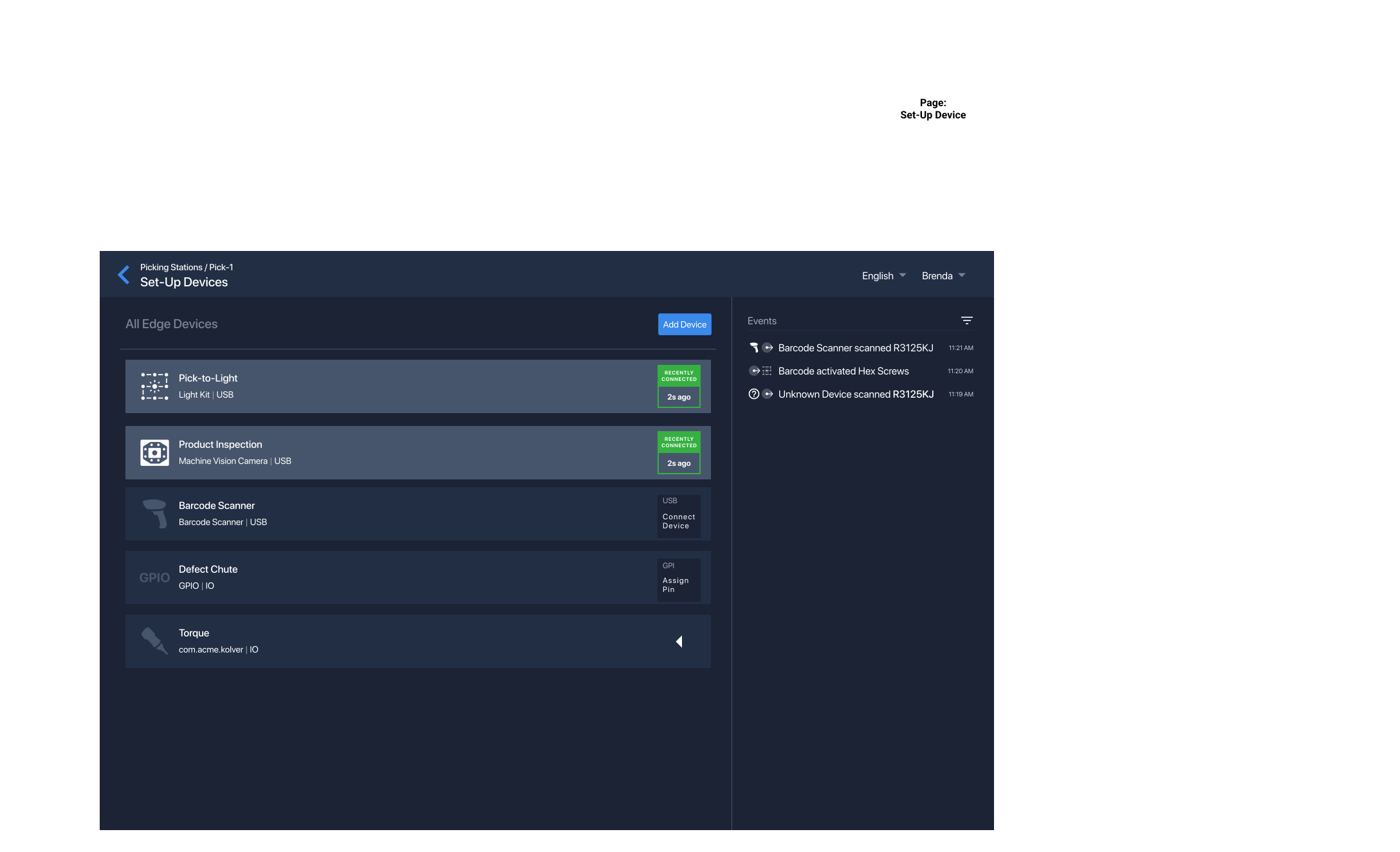
The device abstraction not only allowed the controlled sharing of configurations and associated data management, it also allowed our clients to more effectively use their workforce. The technically-trained process engineers that are more difficult to hire can interact with the device abstractions while the more classically-trained operators or floor leads can set-up physical devices without having to know the technical underpinnings since they've already been configured ahead of time. Our clients could recruit process engineers that prefer to live in denser locations while distributing the fruits of their labor across more remote locations.
UX Design
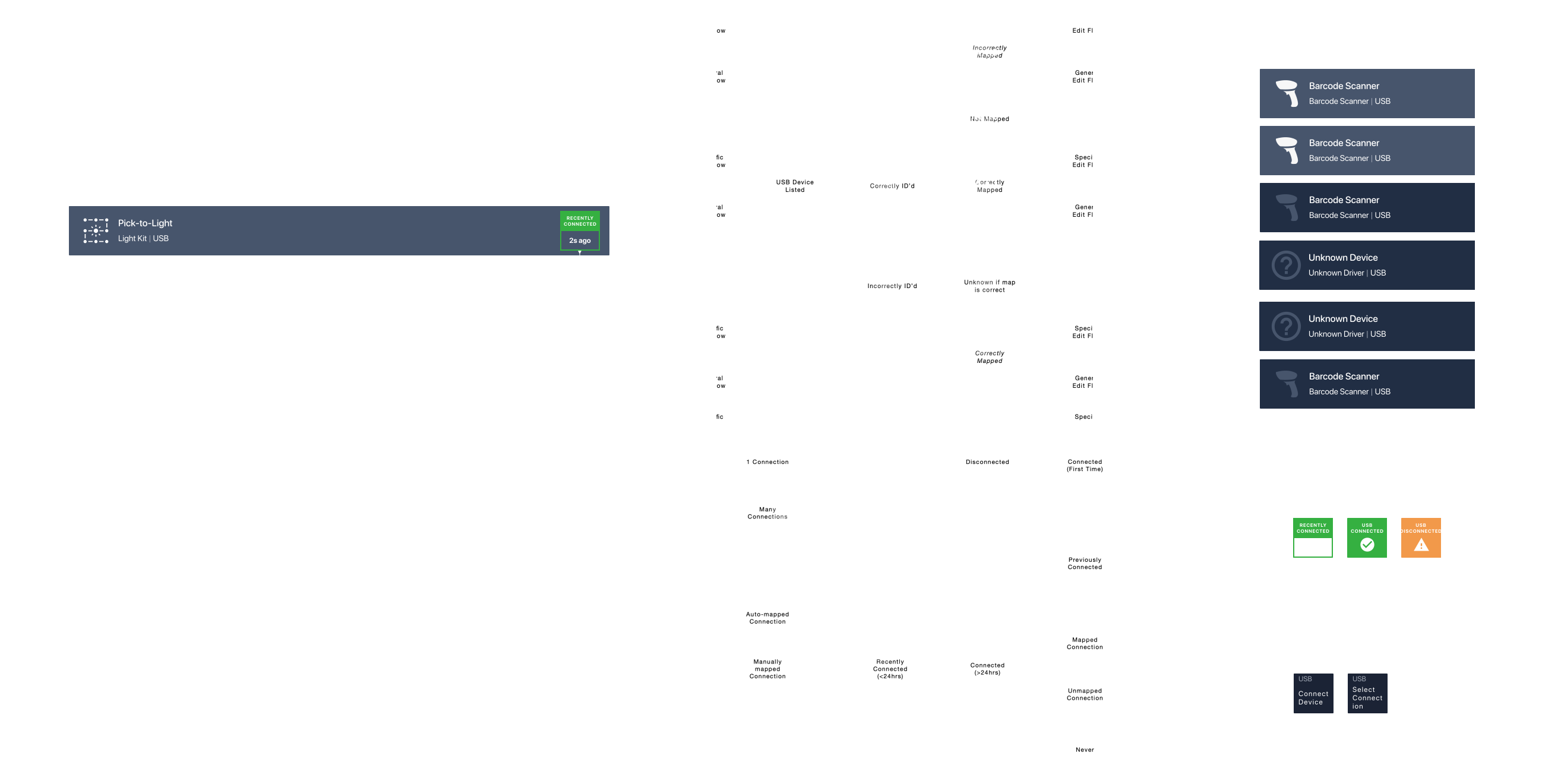
Since devices are complex, for this one object there are three states that are necessary to show the user: 1) the device connection, 2) the device identification, and 3) the overall device set-up completion. Utilizing a combination of text, color, and icons, I designed one device component to express all three states. I did not want there to be three separate state indicators for one object because there was a pattern and hierarchy to how the system automatically pulled state and how the user would need to set-up their device. By visually treating each state differently, the order and structure of the task could be expressed to the user. Packaged as one component, the structure and hierarchy within the concept model we developed for the system architecture would also be maintained without the introduction of floating ancillary concepts.